

1·
3 小时前IT ALSO HAS DEDICATED BUTTONS FOR VOLUME CONTROL
Bro, that’s so cool … your keys have backup’s

IT ALSO HAS DEDICATED BUTTONS FOR VOLUME CONTROL
Bro, that’s so cool … your keys have backup’s
Let’s be grateful, they could have swapped it with the spacebar.
Then don’t go to the cloud! (or use encrypted storage if you really have to)
My view: Unless I can access the hardware 24/7/365 the data isn’t mine for ‘they’ can deny me access to my data anytime while they keep full access. (hence store it decryped)
whitelist of allowed ips
Not exactly.
If source is whitelisted, Accept (avoid being locked out myself)
So all IP’s are allowed to begin with, but some (“my” IP’s like at home, my office etc) are on a whitelist ahead of everything else. They can’t become blacklisted to avoid myself becoming locked out. Then it’s the drop all on the blacklisted, followed by portscan detection. Only after that the ‘normal’ rules (allow https, smtp etc) begin.
the spacebar on my Remington isn’t what it used to be, maybe a drop of oil will help ;)
Well, here is the CPU load:
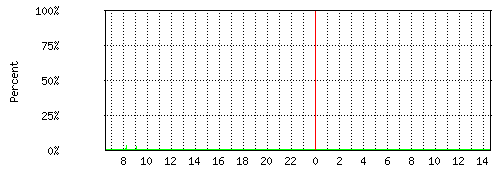
And there is no increase on delay’s or jitter compared to what i’m already facing on the WAN itself.
It keep’s 6000+ hosts with possible harmful intend away from the ports I need/want open to the world. Actually, the router -while still being bored- offloads the services behind it. I really can’t see a reason not to keep doing it. But, sure, it’s a personal choice.

I only use their WiFi because I got some in- and outdoor ap’s for free. The Wifi manager is selfhosted and has no internet access. For upgradesi downoad the deb file, trasnsfer and install. It’s not the best out there, but works for me and i’m still happy with it.
I’m using RouterOS. In the firewall rules you can create a rule that if an IP touches a port, it get added to a address list (optional with a time-out). So my FW rules begin like this:
So using a portscanner will touch ports I’m not running any service on (like telnet) and you’ll be blocked. A time-out of one week on the blacklist usually gives me an blacklist of 6500+ addresses.
This too has endless possibilities. t.ex. like port knocking. (‘touch’ one or more ports in a specified sequence in a specified time to be allowed to access the actual service port)
No offence taken
Safety is relative.
It’s also not a state you can reach, it’s a mindset as well as an on-going process
I wasn’t being a total idiot
that goes unanswered ;) it’s not unlikely selfhosters have at least one loose screw.
It does not. It does not uses ports at all. Fail2ban monitors your logfiles and activates the firewall to block IP’s that matched your rules.
t.ex. You can block an IP that tried to access https://<url>/admin. You can block an IP that used wrong credentials x times to login on an ssh port. Or block one that tried to relay via your mailserver. The duration is configurable and alternative duration can be configured for recidivists.
And yes, you can whitelist IP’s to avoid locking yourself out. The possibilities are endless.
I have nagios to check the status, but librenms runs too in case i need trends, graphs etc etc
My usual additions:
I read many -if not most- live paycheck to paycheck. If so, the problem might go way deeper than that.
I see you lived the Sinclair ZX81 era too (yes, i still have mine, it worked when I tried 8 months ago)
Been there a few times, and It’s not perfect at all.
Still I’d pay to visit france while you can’t pay me to go to the usa.
Bit off-topic (?) but Is it true that keeping your balance becomes harder without the big toe?
I too have always 3…5 winters worth (one can hardly have too much) but I keep it covered and ventilated to avoid chances of rotting.





nail polish. cost next to nothing, any color you like