

How do you like to bind your arrow keys, and why?
Ergo boards don’t typically have dedicated arrow clusters, so we’re left to bind them on some alternate layers one way or another.
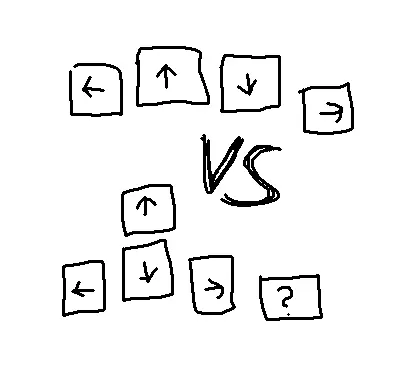
Here are two prevalent layouts, along with some initial thoughts:
Homerow
Binding them linearly to a homerow on some layer.
Pros
- Arrows directly underneath your fingertips
Cons
- Less intuitive
- Pinky may be weaker when going right repeatedly
Pyramid
Bind arrows in a traditional pyramid shape, likely based on a homerow as well.
Pros
- Familiar layout
- Extra key available for pinky, e.g. a tab might be handy
Cons
- Finger movement required for up arrow
- Takes space on the row above, which might matter if you’d like to have a full row of other things there
Post pic is original art by the author, public domain, commission queue is already full.
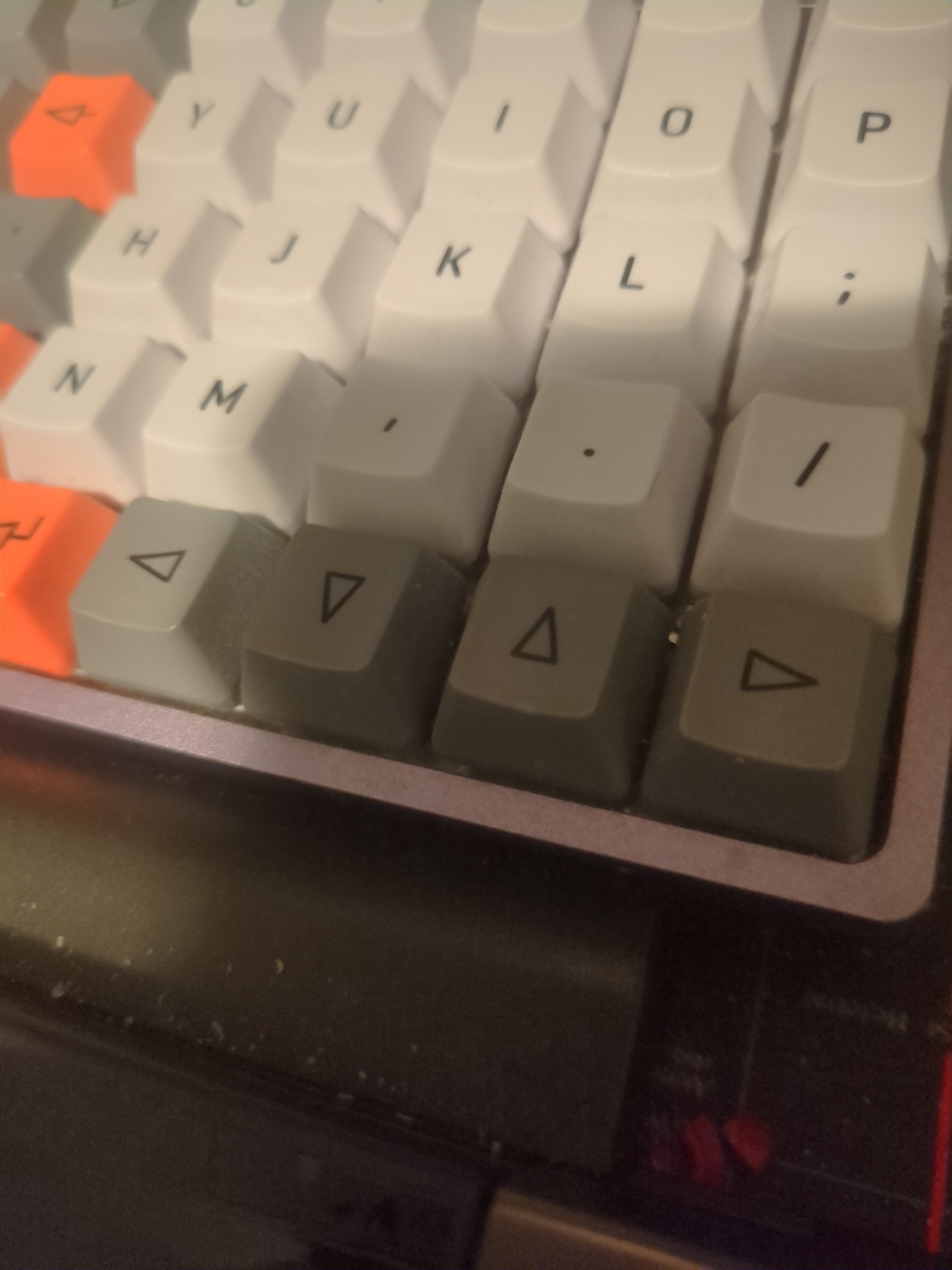
HJKL for ◀️🔽🔼▶️ (Vi layout) under a thumb layer key.
Let’s me use at least the basic movement everywhere both in and out of (Neo)Vi(m) etc. Games excluded of course, I use WASD there (or ESDF if I know I’ll be playing a game long enough to justify remapping things)
My layout is inspired by the Neo layout(QWERTY version). So i have my arrow keys setup like they are on layer 4 of the neo layout. Which means arrow keys on “esdf”, home on “a” and end on “g”. The addition of the home and end keys next to the arrow keys feels very natural.
An absolute bonus of using neo inspired layers, is that you can easily have those on “traditional” keyboards as well. Simply set the keyboard layout to the “neo_qwerty” variant of the “layout” on linux for example and enjoy proper layers on your integrated laptop keyboard.
Pyramid with home/end either side of the up arrow
spoiler
// BASE // COLEMAK // ╭────────────────────────╮ ╭────────────────────────╮ // │ W F P G │ │ J L U Y │ // │ Q A R S T D │ │ H N E I O ;:│ // │ Z X C V B ╰───╮ ╭───╯ K M %* /? │ // ╰──────────────╮ '" esc tab │ │ spc ., bsp ╭──────────────╯ // ╰─────────────╯ ╰─────────────╯ // NUM NAV // NAV // // ╭────────────────────────╮ ╭────────────────────────╮ // │ mo2 mo1 │ │ PgUp Home ↑ End │ // │ gui alt ctl sft mo3 │ │ PgDn ← ↓ → &! ^$ │ // │ ╰───╮ ╭───╯ menu #@ `~ | │ // ╰──────────────╮ ___ ___ ___ │ │ ent ___ Del ╭──────────────╯ // ╰─────────────╯ ╰─────────────╯ // // NUM // // ╭────────────────────────╮ ╭───────────────────────────╮ // │ E3 E2 E1 │ │ <> 7/F7 8/F8 9/F9 │ // │ gui alt ctl sft │ │ ({[ 4/F4 5/F5 6/F6 =+ -_ │ // │ ╰───╮ ╭───╯ )}] 1/F1 2/F2 3/F3 /? │ // ╰───────────╮ ___ ___ ___ │ │ spc/F10 ./F11 0/F12 ╭─────────╯ // ╰────────────────╯ ╰─────────────────────╯
The layout didn’t translate well with pasting…
I’m pretty used to hjkl navigation from using vim. When I first started learning vim it felt weird but it’s natural now.
And HJKL doesn’t use the pinkie.
Pointer finger covers both H and J.
Yeah I get the feeling that this line of navigation originates from vim and friends.
I just wish wasd had never become the standard, esdf had been so much better for touch typers
Just move all the keys one column to the right …
The inverted T is god-damned masterpiece, regardless of where it’s placed. Your middle finger is already longer than the others and naturally rests closer to the top edge of the down arrow, requiring a minimal amount of movement to get to the up arrow. This is why it outlasted cross-nav and various godawful clusters or shift-pairs like on early 8-bit home computers, and why it never faced a serious challenge from layout-complicating diamond-nav or “does it exactly backwards” T-nav. It’s also more intuitive than 4-key linear nav, though fair play to you if your brain can make it work. I do tend to think that some folks make a commitment to staying on the home row that goes way beyond the strict needs of carpal tunnel health, but I’m a row-stagger heathen so take my thoughts for whatever they’re worth.
Excellent point about the middle finger lenght.
I prefer pyramid shape, and in order to not waste space around, I generally put Home and End around the Up arrow
ESDF! You don’t have to move your hand for gaming
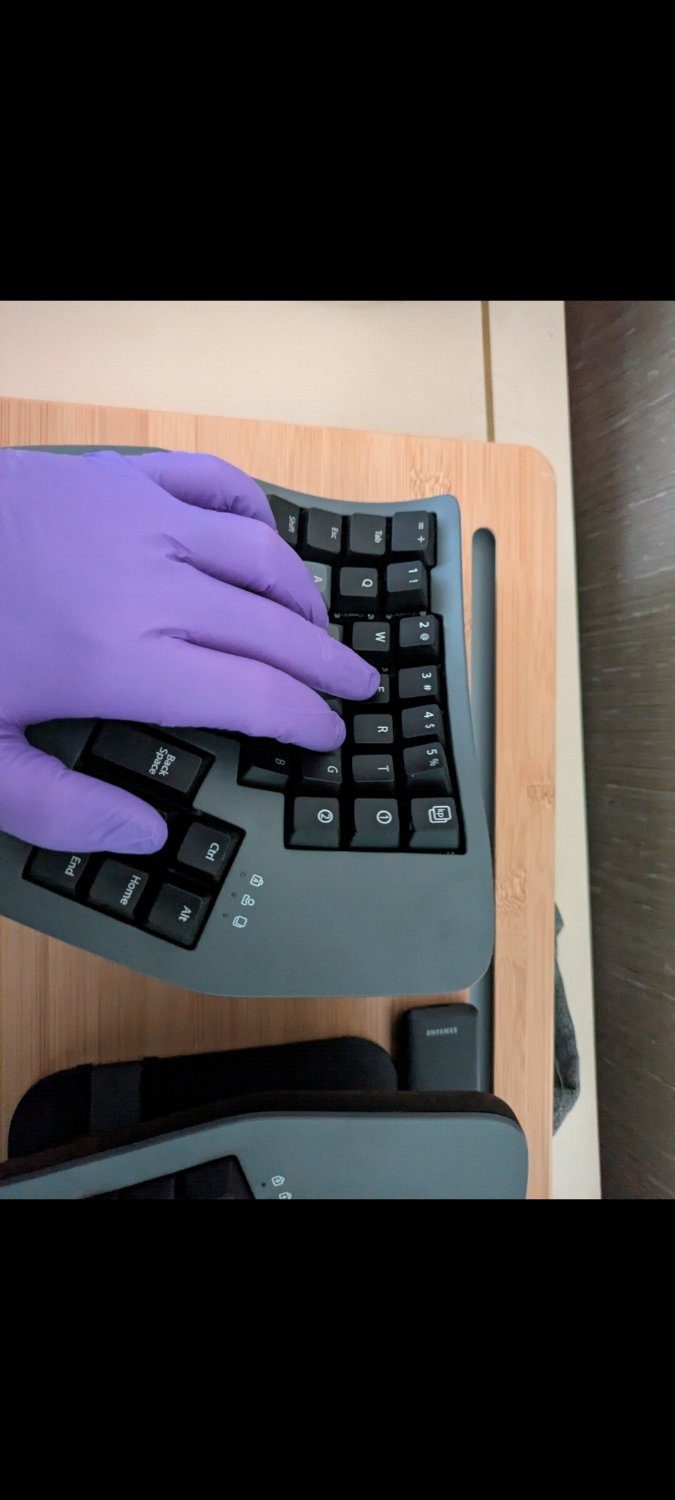
I think it’s fairly common to have a gaming layer with wasd there already so this would indeed be a natural extension.
I managed to quit vi once, I’m not recreating that experience again. IJKL all the way. Same hand and positions as the arrow keys, just without having to move your arm.
I play stepmania and sometimes edit maps that are good but probably impossible on feetI know I’m the odd one out, but I have the arrow keys on my main layer, linearly just below the homerow, replacing the usual punctuation bits. All the punctuation lives on my layers, just makes more sense to my brain :p
Interesting! This is also reminiscent of the traditional “somewhere down and right” arrow cluster placement.
Dang I can’t believe the commission queue is full already. Must be drowning in work.
Yes. It’s imperative that I micro optimise my arrow keys to make it through this.
Appreciate the optimization being open source at least, helping everyone out.
Is anyone using the linear style for mouse emulation? I find this to be way more difficult than just moving the caret around text.
Yeah, I am on my Ergodox EZ. One layer has hjkl for arrow keys, and another has them for mouse movement, with u for left-click and o for right-click.
Impressive, so it can be done ^^
ASDW FTW
I’ve been using the right hand variant of this, but for no other reason than that just happening to be the case on the layout I started with. Becoming conscious of this was the reason for the making this post ^^
I have a split ergo and set a dedicated layer on one half as a “navigation layer”. There, I have pyramid on ESDF, skip word forward/back, start/end of line, … I placed these other movement-keys around the ESDF cluster “logically” as I don’t care to much on saving space on a dedicated layer.


#/media/File:Neo_2.0-Tastaturbelegung_Ebene4.svg)